

How to configure Tax Calculation Webhook
Introduction
For Tax Exclusive customer accounts, certain ordering platforms without a tax calculation engine of their own, would need to retrieve tax calculations from the POS. This exchange of order data and calculated tax can be facilitated via a Tax Calculation webhook.
Pre-requisites
1. Tax Calculation Toggle
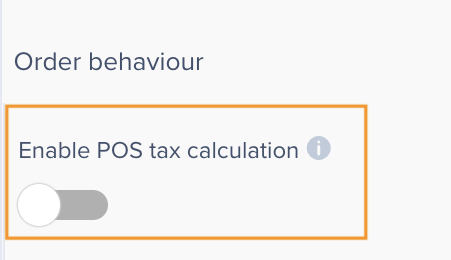
A toggle needs enabled to Supports tax exclusive calculation on the location settings.
Open the Location settings and enable the toggle below 'Enable POS tax calculation'
2.Add a Tax calculation webhook URL
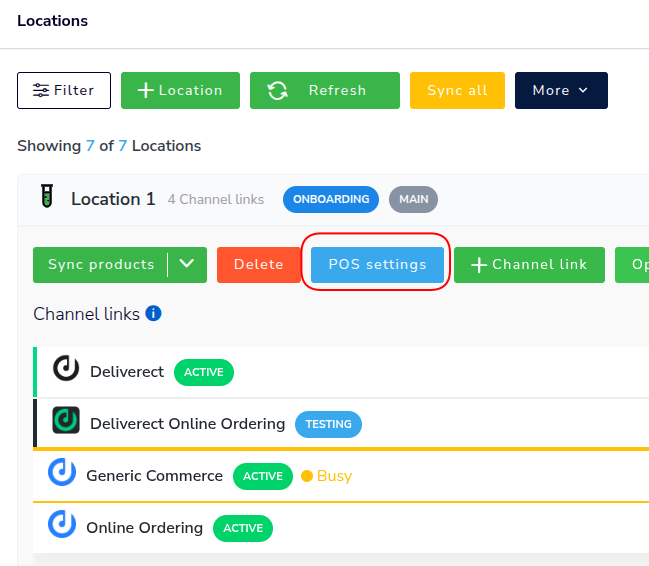
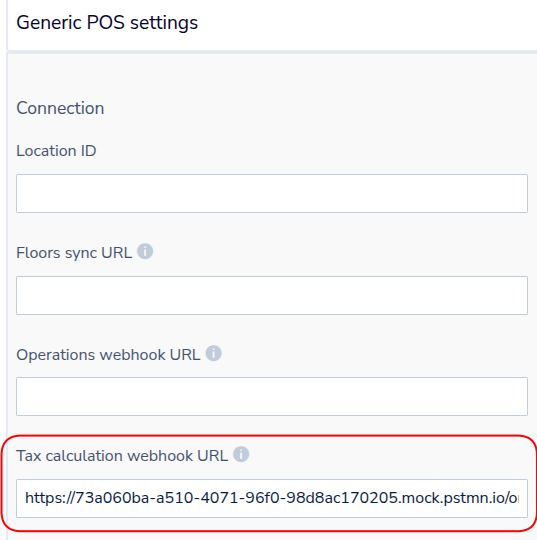
Within the Location POS settings add a URL which will respond to tax calculation events.
Updated about 1 month ago
Did this page help you?