

How to configure 'Upsell' groups
Introduction
An upsell group allows extra items to be offered as add-ons when ordering.
Format
An upsell is configured as below example where the flag "isUpsell": trueis applied to the Modifier Group.
Example
Below example shows a Modifier Group Add a Drink? (not included) as an upsell group.
{
  "productType": 3,
  "plu": "UPSLL-01",
  "name": "Add a Drink? (not included)",
  "isUpsell": true,
  "min": 0,
  "multiMax": 99,
  "eatInTax": 9000,
  "subProducts": [
    "DRNK-01",
    "DRNK-02",
    "DRNK-03"
  ]
}
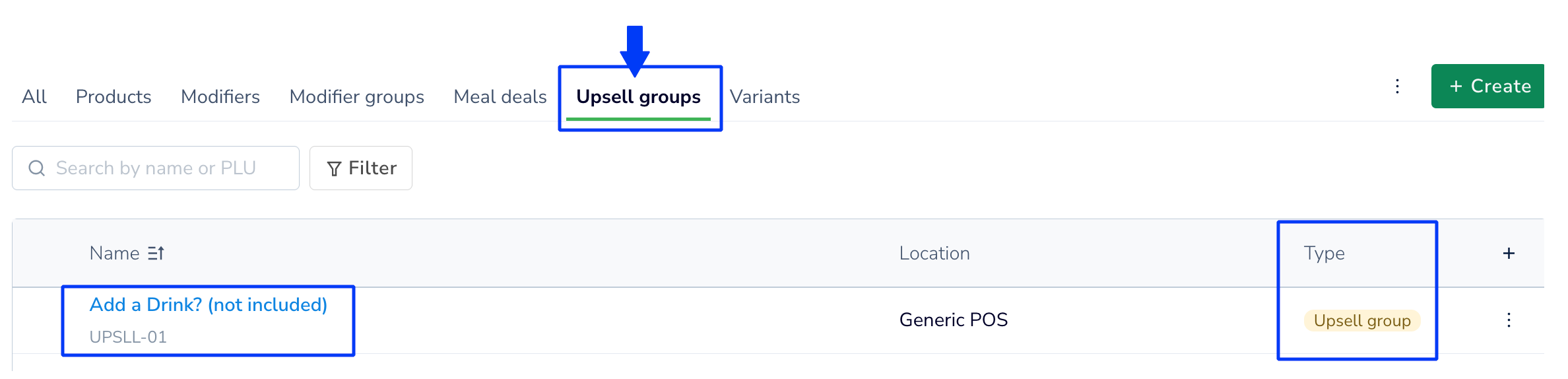
When you sync the Modifier group in Deliverect, you will see it in the Products page under Upsell groups.
Updated 2 months ago
See related guides
Did this page help you?