

How to test Wallet Balance
Introduction
A loyalty platform should return a customer’s available wallet balance in response to the Get Loyalty Customer Wallet webhook, this will either be in the form of Loyalty Points or Wallet Cash;
- Loyalty points: consumed when programs are applied
- Wallet cash: applied at checkout
Testing Wallet Balance
Deliverect will provide an Online Ordering store and Kiosk setup to test the complete loyalty workflow. To ensure this is working correctly to display the customer’s current funds, the following should be checked;
Wallet Points - Deliverect Direct
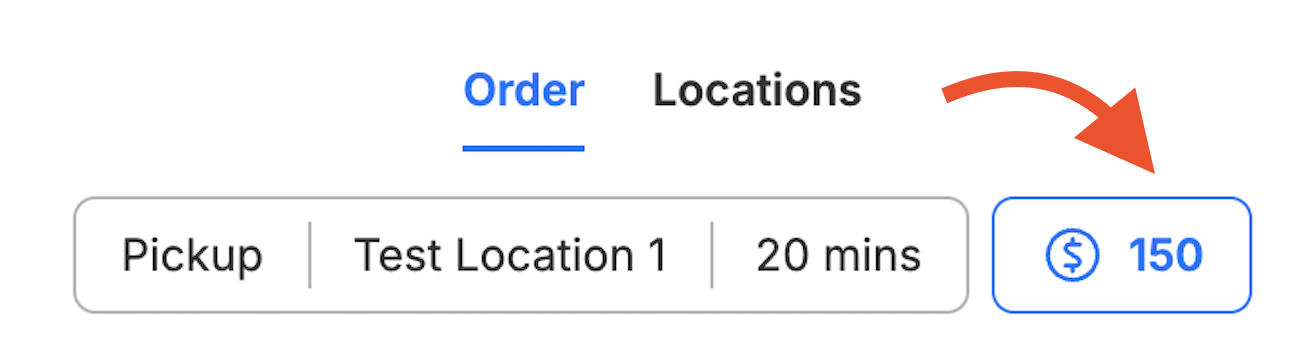
If the value of points.balance is returned correctly, it will be displayed as shown below;
Wallet Points - Deliverect Kiosk
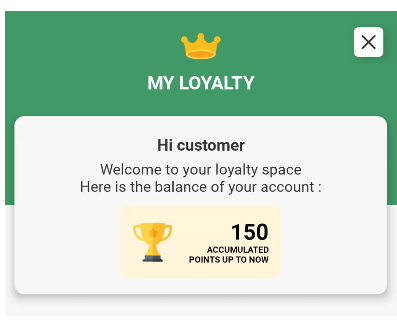
The returned points.balance will display within 'My Loyalty' as below;
Wallet Cash - Deliverect Direct
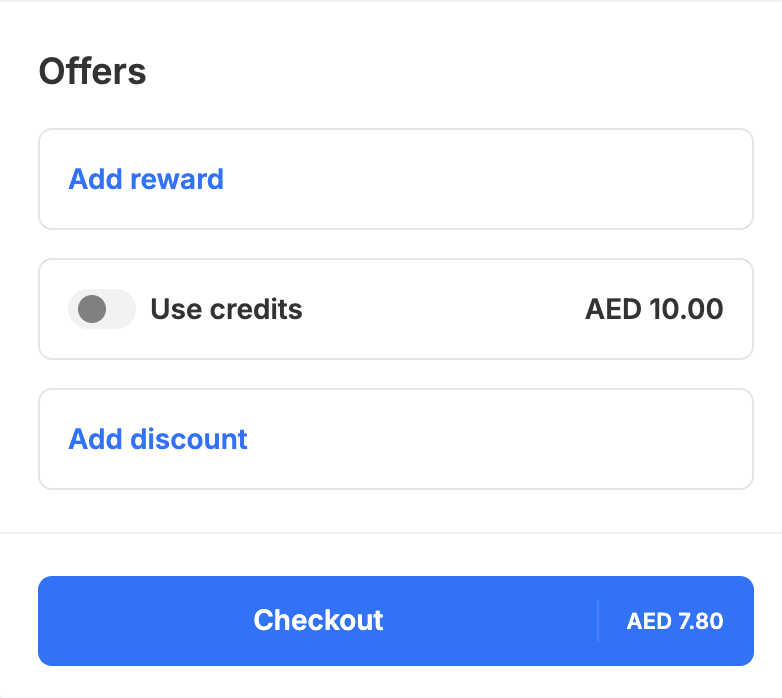
The amount displayed at "Use Credits" level will reflect the cash.balanceAmount returned on the cash response.
Wallet Cash - Deliverect Kiosk
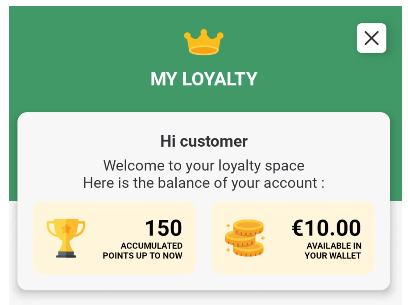
The cash.balanceAmount will show as below in local currency as 'available in your wallet'
Updated 2 months ago