

How to Retrieve Store Details
Retrieve channelLinkdId
channelLinkdIdA channelLinkId is the unique identifier for a store-channel (ordering platform) at a specific location. It may also be referenced as storeId throughout the documentation. Baskets are always created in association with a specific channelLinkdId
Use the Get Stores endpoint to retrieve the channelLinkdId for an account.
Registration Events
To recieve webhook events for a store registration to a channel registration webhook URL with the channelLinkId and an External Location Id known to the channel platform included, follow the steps below:
Step 1. Go to your customer account on staging.
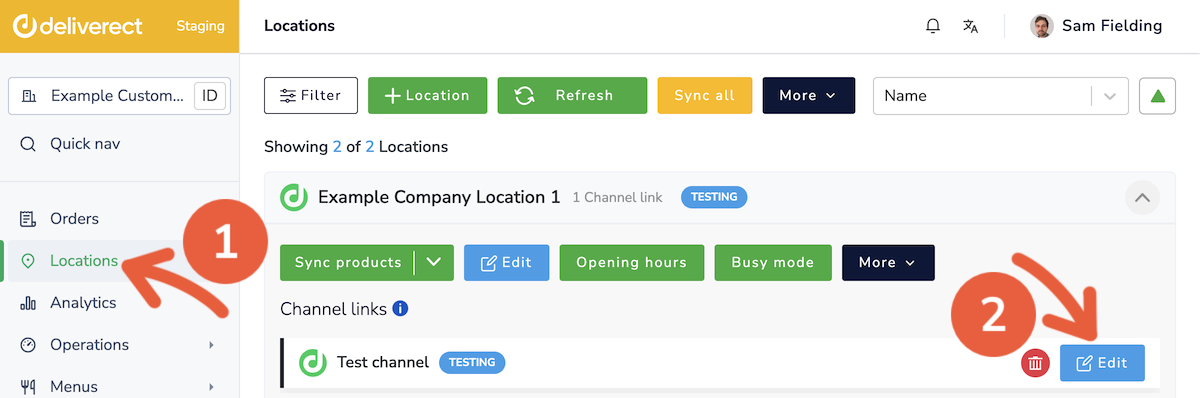
Step 2. Select Locations in the sidebar ① and then the Edit button for the channel ②.
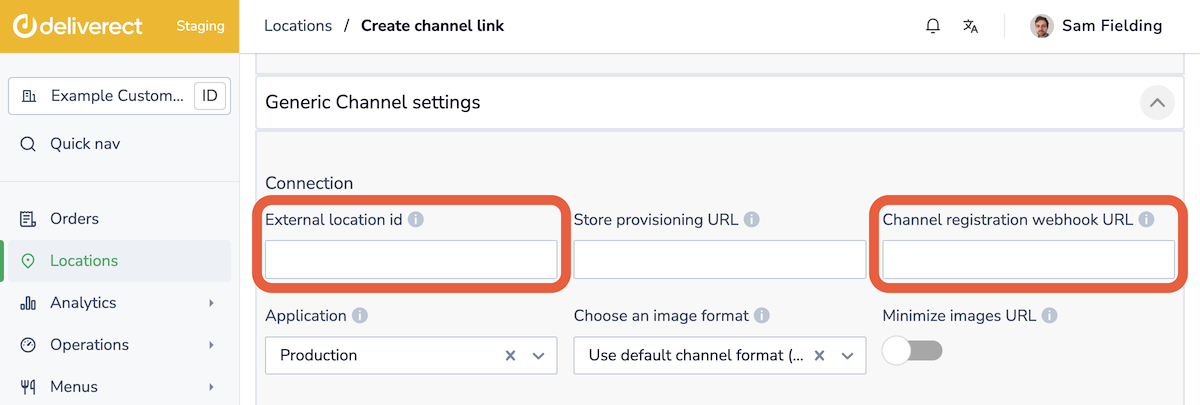
Step 3. Complete the following fields:
- External location ID: The ID you use in your system for the customer location.
- Channel registration webhook URL: Your webhook to receive channel status updates.
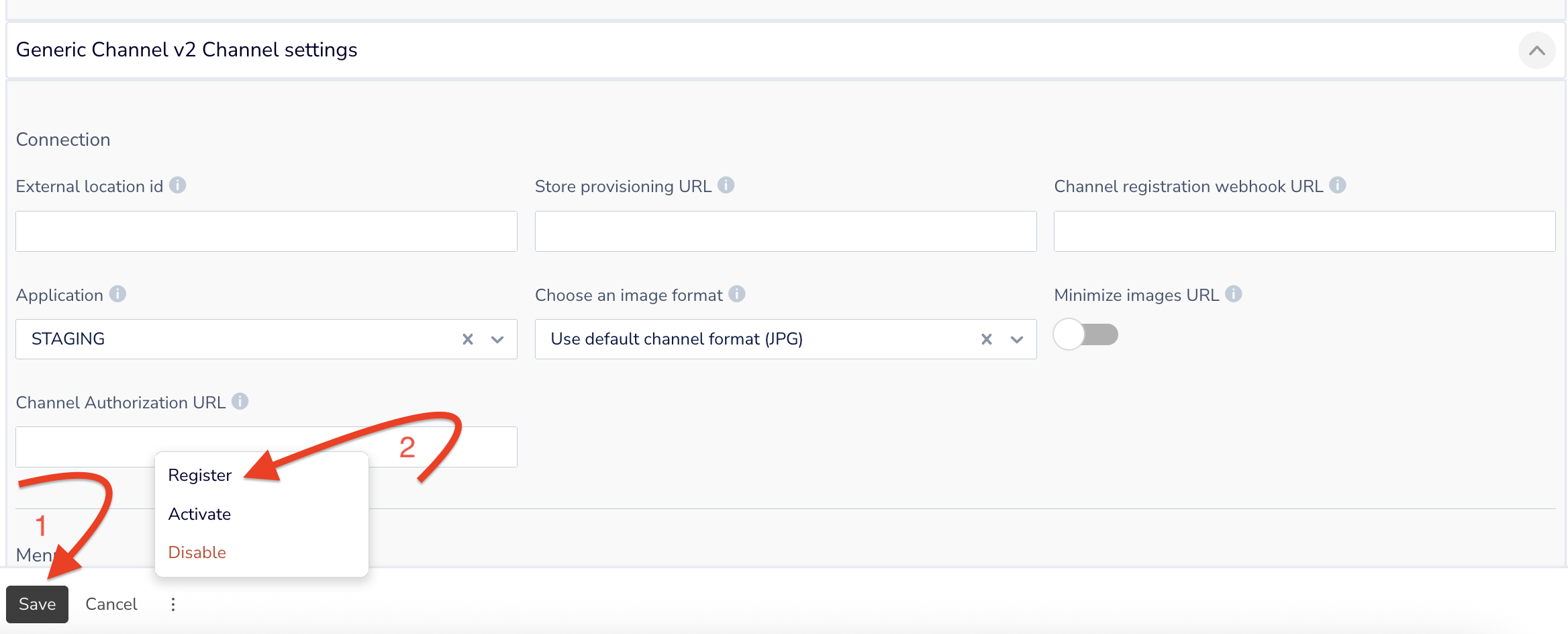
Step 4. Click on the Save button ①, then select the three dots next to it and choose Register ②.
How to know when a channel is activated, registered, or disabled
You will receive key status changes via the channel status webhook when users set one of the following statuses:
- Register
- Activate
- Disable
We also communicate the IDs of the channel link with each status change, in addition to the External Location ID (the unique ID for the customer on your platform).
Video
View a demonstration of these processes.
Updated about 1 month ago